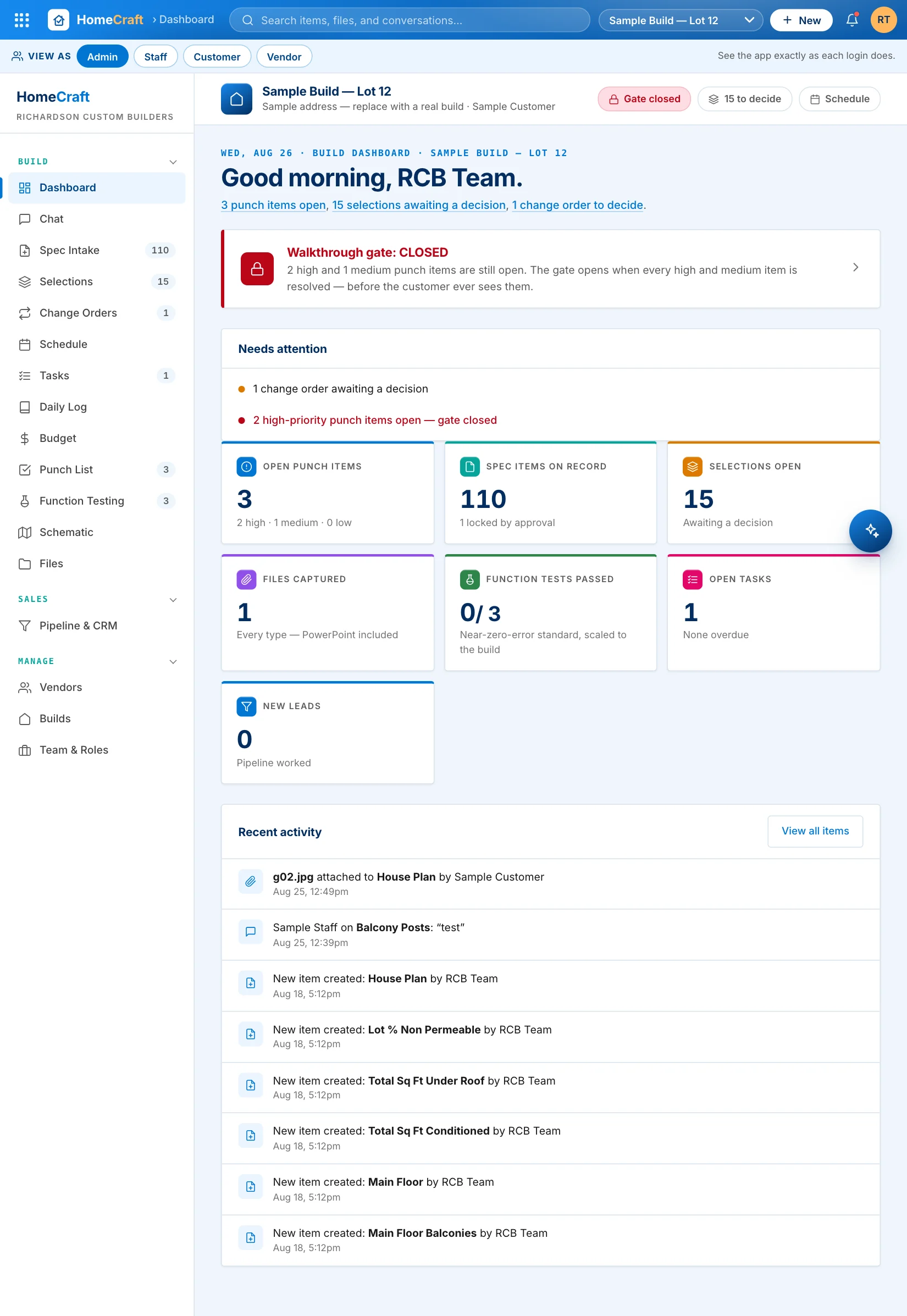
Three habits. One clean handover.
A new build starts with the full spec checklist, allowance selections, schedule, and budget already in place — over a hundred items seeded before anyone lifts a hammer.
Customers decide selections in their own portal, the team countersigns, and items lock. From then on, change happens through a change order — priced, decided, on the record.
Punch items and function tests hold the gate closed until every high-priority item is resolved. When it opens, the customer walks into a finished home.
Your team catches the punch list. Not your customer.
Every punch item gets a priority. While any high or medium item stays open, the gate stays closed — and the whole team can see why. When it opens, your customer walks through to a finished home.
- Punch items carry photos, a location pin on the floor plan, and the vendor responsible
- Vendors sign in and see only their items — resolve with proof
- Function tests — GFCIs, water temps, HVAC balance — signed off before walkthrough
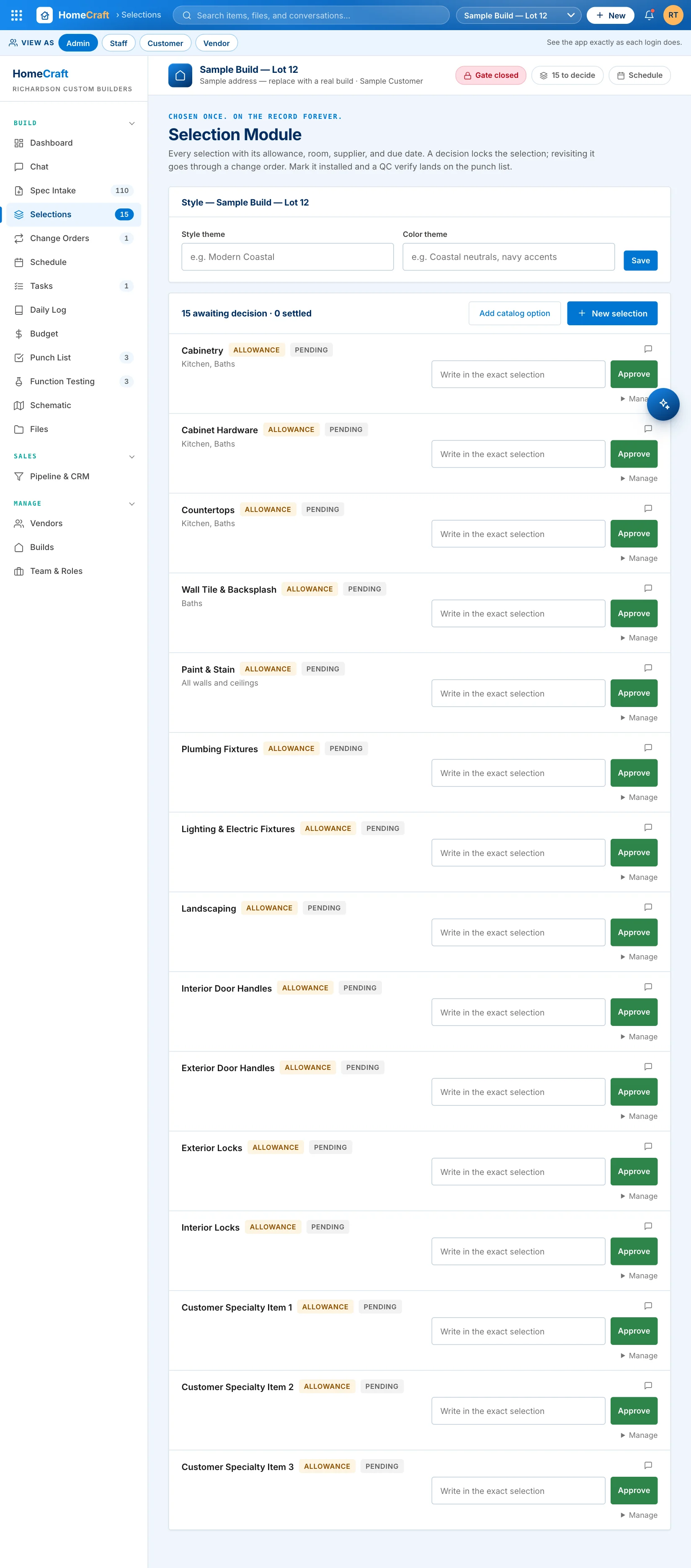
Chosen once. On the record forever.
Allowance selections seed themselves on every build. The customer decides from their own portal, the team countersigns, and the item locks — revisiting it takes a change order with the cost delta rolled straight into the budget.
- No more "selected in a text message three weeks ago"
- Locked items refuse silent edits — the approval chain is the contract
- Budget variance tracks core, allowances, and change orders per group
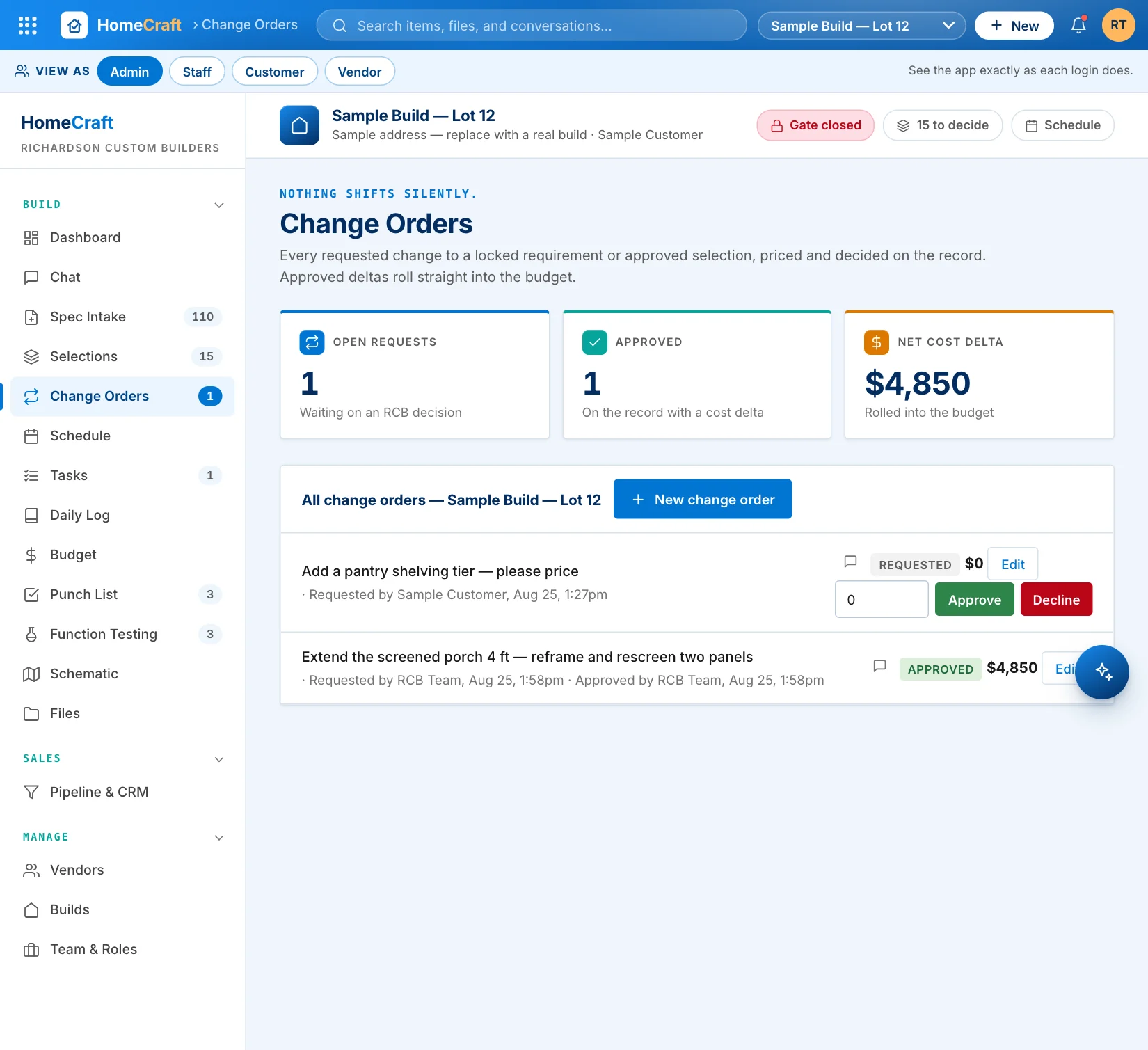
Nothing shifts silently. Every change is priced and signed.
Anyone on the build — team or customer — can raise a change order. RCB prices it, approves or declines it on the record, and an approved delta rolls straight into the budget. The linked item unlocks for exactly one edit cycle, then locks again.
- Customers request changes from their portal — never by voicemail
- Approve, decline, or reprice with the full history attached
- Budget impact is visible the moment the decision lands
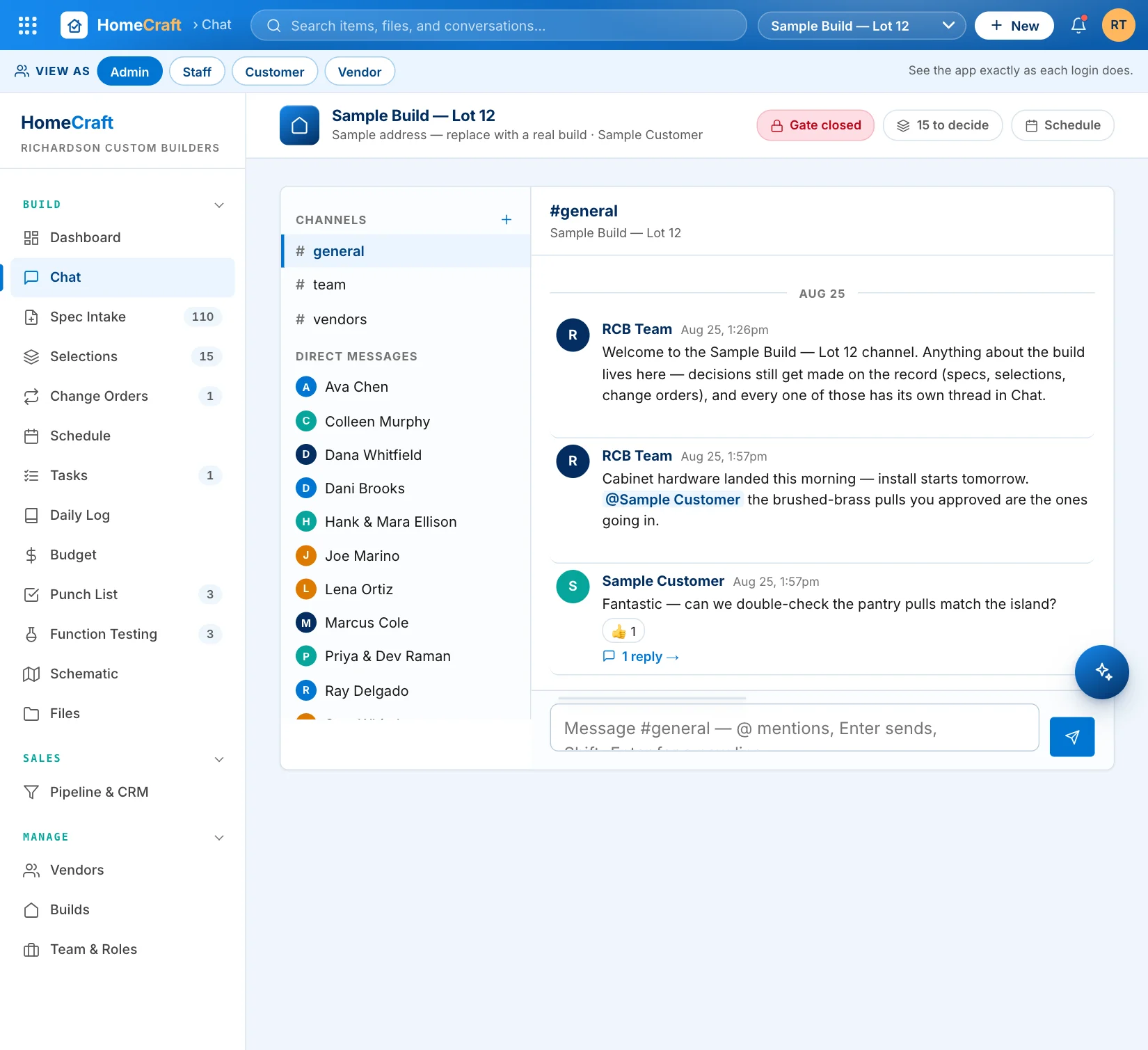
The whole build, talking in one place.
Channels for the build, the team, and the vendors. Direct messages. And a thread on every record — every spec item, selection, change order, task, milestone, and file carries its own conversation, so context never lives in someone's text messages.
- @ mentions, reply threads, and reactions — with unread badges everywhere
- Customers and vendors see only their conversations, enforced server-side
- Chat for talk, records for decisions — each links to the other
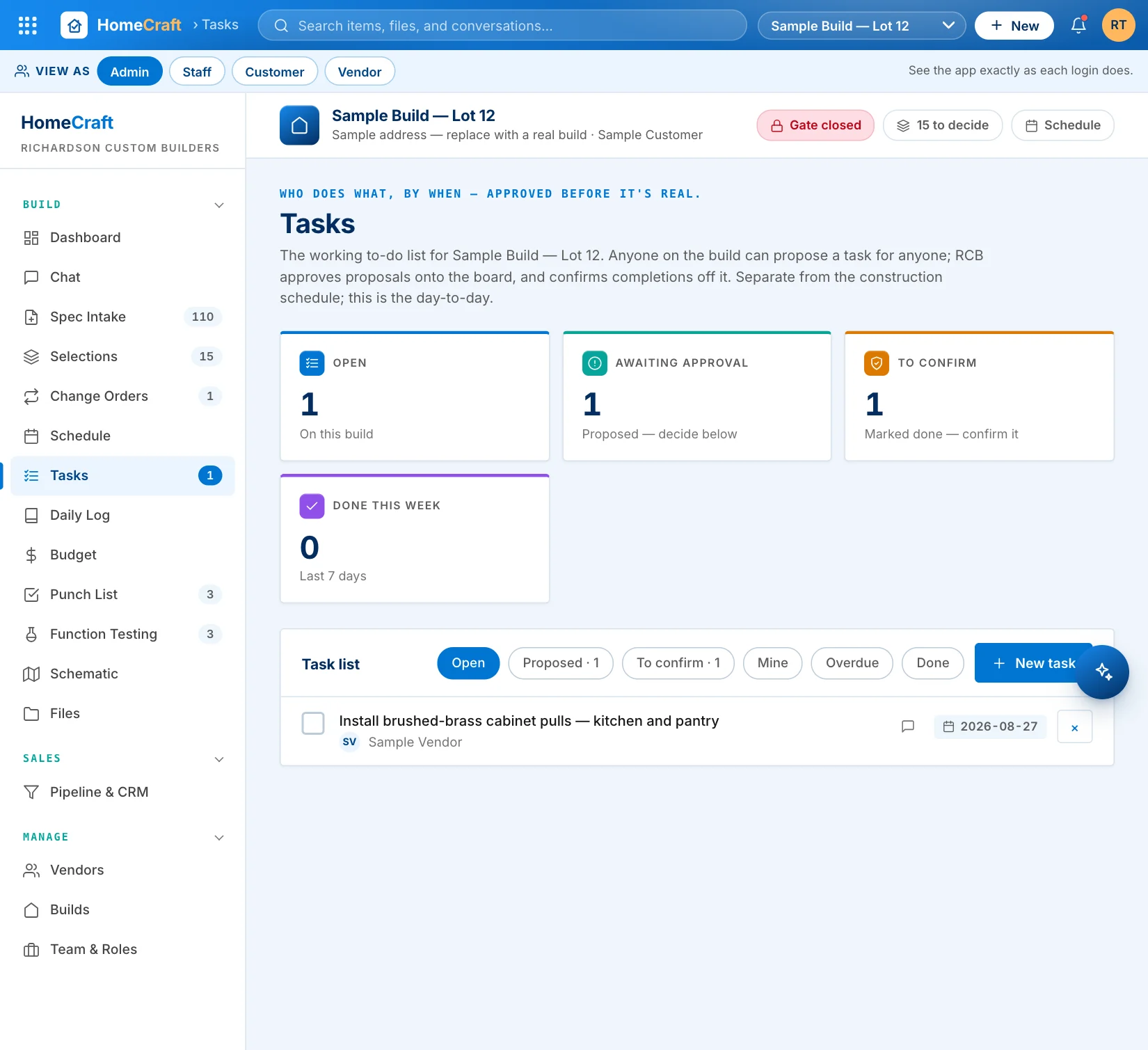
Anyone can ask. The builder decides. Everything is confirmed.
Customers and vendors propose tasks for anyone on the build, tied to the exact item or milestone they mean. Proposals wait for the builder's approval before they hit the board — and finished work waits for confirmation before it counts as done.
- Propose → approve → work → confirm, with every step and name on the record
- Tasks link to the spec item, selection, change order, or milestone they belong to
- Every task has its own chat thread for the back-and-forth
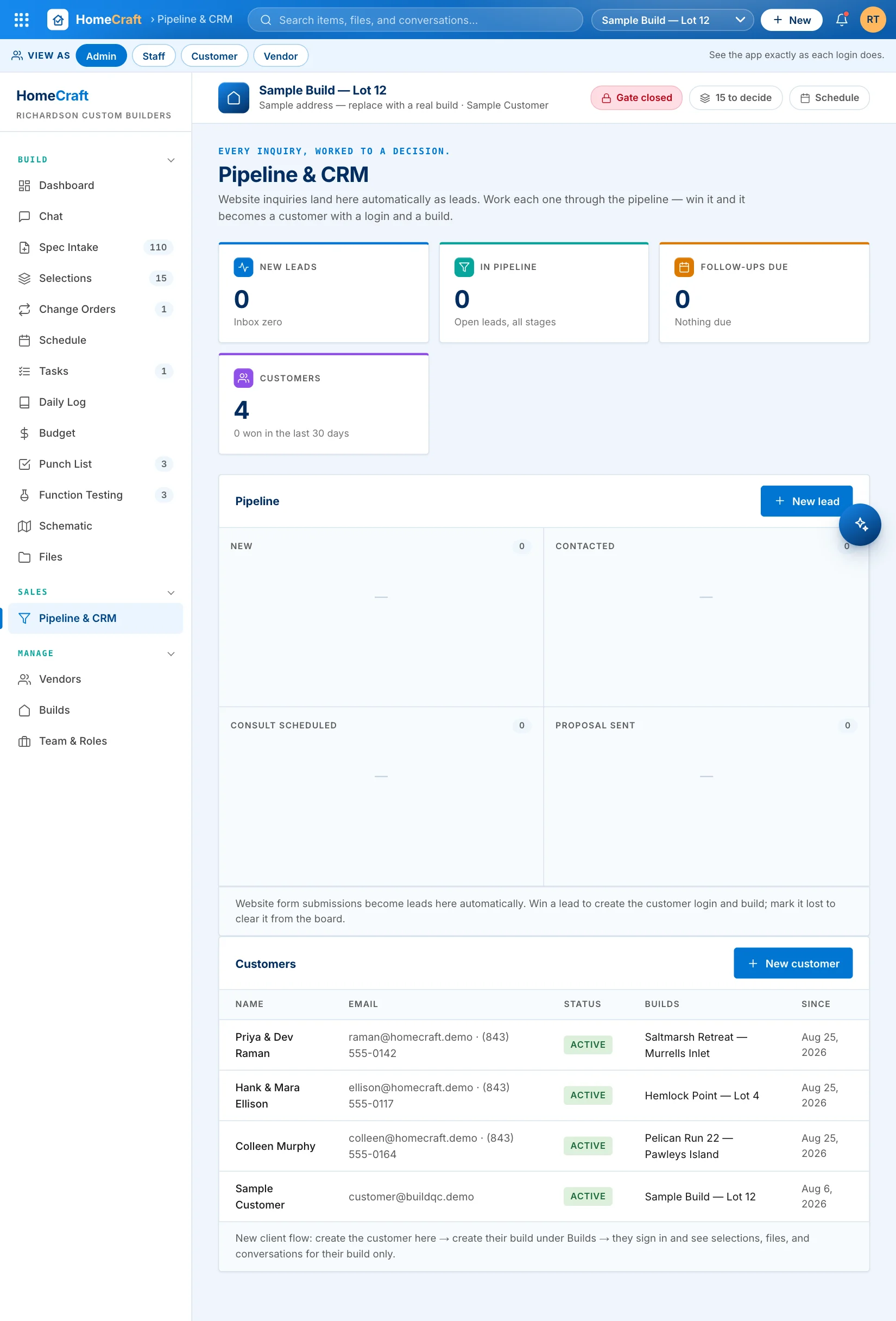
Website inquiries become builds. Automatically.
Every inquiry from your website lands on the pipeline board as a lead. Work it through the stages — win it, and HomeCraft creates the customer login and the build in one motion, spec checklist and all.
- Kanban pipeline with follow-up dates that turn red when you're late
- Every note and touch on the lead's own timeline
- A daily digest emails the team everything that needs attention
A real app on every phone. Nothing to install from an app store.
Add it to a home screen and it opens like a native app — tab bar, one-handed navigation, search that reaches every module, and daily logs your crew will actually write.
- Role-aware tab bar — the field crew sees field tools
- Search everything: items, files, conversations, selections, change orders, tasks, logs, leads
- Daily logs with weather and crew, two taps from anywhere

Everything a build needs. Nothing it doesn't.
The construction chain with dependencies — milestones show as blocked until their prerequisite selections are approved.
Core costs, allowances, and change-order deltas tracked per group — margin visible to the admin only.
Weather, crew, and what happened — a dated site diary that builds itself into the permanent record.
Photos, PDFs, and plans open right in the app with thumbnails and a lightbox — attached to the item they belong to.
One search bar across items, files, conversations, selections, change orders, tasks, logs, and leads — with instant suggestions.
Every name in the app links to a profile — role, company, contact, and their activity on the build.
Customers never see the punch list. Vendors see only their items. Every read and write is checked server-side.
Add to home screen and it's on every phone in the company — no app store, no updates to chase.
Everyone sees exactly what they should. Nothing they shouldn't.
The whole command center: gate, budget with margin, pipeline, team, and every build.
The field view: tasks, punch, daily logs, schedule — no money screens.
Their build only: selections to decide, approvals, milestones, chat, files. Never the punch list.
Only their assigned items and tasks — mark work resolved as it lands, nothing else visible.
Walk through the live demo — every role, one tap.
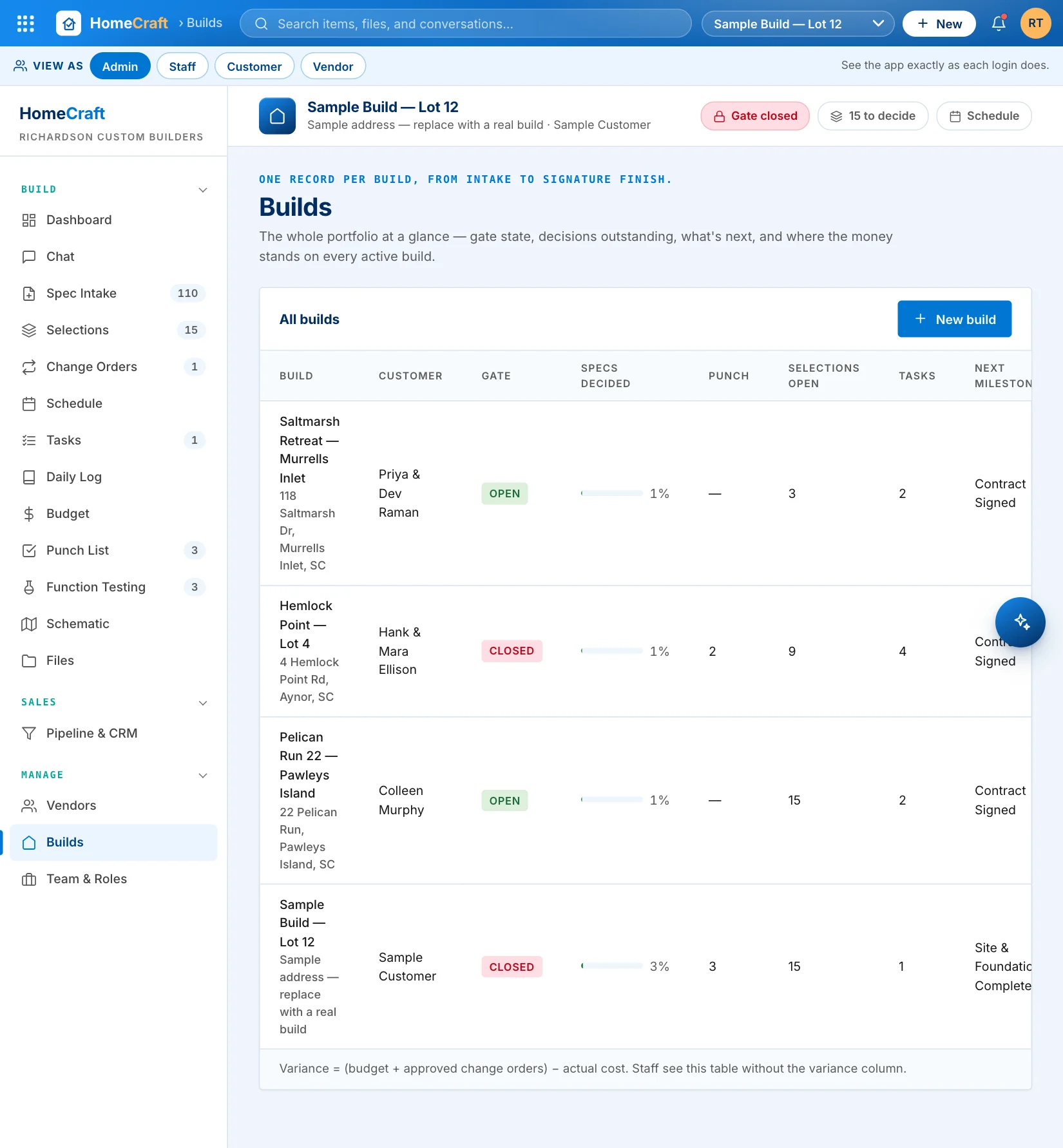
Four sample builds in different phases, from staked lot to Signature Finish walkthrough. Open the chat, raise a change order, propose a task. No signup, no sales call, no password.
Open the HomeCraft demoRuns in your browser · installs to a phone home screen